
Monterrey, Nuevo León Monday to Saturday, 10:00 – 18:00 (81) 4777 6921
Apple · iMac / Mac mini / Mac Studio / Mac Pro · 2014

Apple iMac 27" Retina 5K (A1419) Late 2014 repair

Keyboard, power supply, SSD upgrade and motherboard repair for the Apple iMac 27" Retina 5K (A1419) Late 2014 (2014) in Monterrey. Professional diagnosis and a written warranty.

Illustration Apple iMac 27" Retina 5K (A1419) Late 2014 2014
Repairs for this model

What's wrong with your Apple iMac 27" Retina 5K (A1419) Late 2014?

Keyboard and peripherals Apple iMac 27" Retina 5K (A1419) Late 2014

Keyboard and peripherals Apple iMac 27" Retina 5K (A1419) Late 2014

Common symptoms

  • The computer doesn't detect the keyboard or mouse
  • USB or Bluetooth ports not responding
  • Faults when connecting accessories

How we fix it

On the Apple iMac 27" Retina 5K (A1419) Late 2014 we check the ports, Bluetooth and the logic board's input circuits, then set up and test a compatible keyboard, mouse or trackpad.

Get a quote
Power supply and start-up Apple iMac 27" Retina 5K (A1419) Late 2014

Power supply and start-up Apple iMac 27" Retina 5K (A1419) Late 2014

Common symptoms

  • Won't turn on or shuts down by itself
  • Restarts under heavy load
  • Burning smell or electrical noise

How we fix it

We diagnose and repair the internal power supply of the Apple iMac 27" Retina 5K (A1419) Late 2014 at component level, or replace it when it can't be repaired.

Get a quote
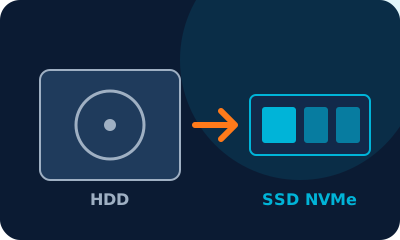
HDD → SSD upgrade Apple iMac 27" Retina 5K (A1419) Late 2014

HDD → SSD upgrade Apple iMac 27" Retina 5K (A1419) Late 2014

Common symptoms

  • Slow start-up and apps that take ages to open
  • Full disk or bad sectors
  • Clicking noise or the system freezes
  • You want more space (1 TB or 2 TB)

How we fix it

We install an SATA SSD (or a 2.5-inch SATA SSD if your Apple iMac 27" Retina 5K (A1419) Late 2014 has a drive bay) and clone your system and files with no data loss. We also check for a free slot for a second drive.

Get a quote
Motherboard repair Apple iMac 27" Retina 5K (A1419) Late 2014

Motherboard repair Apple iMac 27" Retina 5K (A1419) Late 2014

Common symptoms

  • Won't turn on, no video or black screen
  • Liquid damage or corrosion
  • Shuts down from overheating
  • Short circuit after a power surge

How we fix it

We repair the Apple iMac 27" Retina 5K (A1419) Late 2014 motherboard at component level: micro-soldering, MOSFETs, power controllers and the CPU and chipset circuits. We use an oscilloscope, a thermal camera and schematics, and only suggest replacing the board if it can't be repaired.

Get a quote

Our process

  1. 1

    Drop-off

    We log your device and the fault it shows.

  2. 2

    Diagnosis

    Technical inspection and a clear quote before any repair.

  3. 3

    Repair

    We only proceed with your approval, using quality parts.

  4. 4

    Pickup with warranty

    Final testing and a written warranty.

Device acting up? Get a free quote

Professional diagnosis, a clear price before any repair and a written warranty.