
Monterrey, Nuevo León Monday to Saturday, 10:00 – 18:00 (81) 4777 6921
Apple · iMac / Mac mini / Mac Studio / Mac Pro · 2017

Apple iMac 21.5" (A1418) / 27" 5K (A1419) 2017 repair

Keyboard, power supply, SSD upgrade and motherboard repair for the Apple iMac 21.5" (A1418) / 27" 5K (A1419) 2017 (2017) in Monterrey. Professional diagnosis and a written warranty.

Illustration Apple iMac 21.5" (A1418) / 27" 5K (A1419) 2017 2017
Repairs for this model

What's wrong with your Apple iMac 21.5" (A1418) / 27" 5K (A1419) 2017?

Keyboard and peripherals Apple iMac 21.5" (A1418) / 27" 5K (A1419) 2017

Keyboard and peripherals Apple iMac 21.5" (A1418) / 27" 5K (A1419) 2017

Common symptoms

  • The computer doesn't detect the keyboard or mouse
  • USB or Bluetooth ports not responding
  • Faults when connecting accessories

How we fix it

On the Apple iMac 21.5" (A1418) / 27" 5K (A1419) 2017 we check the ports, Bluetooth and the logic board's input circuits, then set up and test a compatible keyboard, mouse or trackpad.

Get a quote
Power supply and start-up Apple iMac 21.5" (A1418) / 27" 5K (A1419) 2017

Power supply and start-up Apple iMac 21.5" (A1418) / 27" 5K (A1419) 2017

Common symptoms

  • Won't turn on or shuts down by itself
  • Restarts under heavy load
  • Burning smell or electrical noise

How we fix it

We diagnose and repair the internal power supply of the Apple iMac 21.5" (A1418) / 27" 5K (A1419) 2017 at component level, or replace it when it can't be repaired.

Get a quote
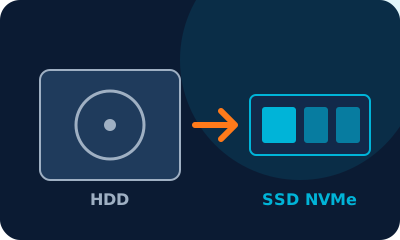
HDD → SSD upgrade Apple iMac 21.5" (A1418) / 27" 5K (A1419) 2017

HDD → SSD upgrade Apple iMac 21.5" (A1418) / 27" 5K (A1419) 2017

Common symptoms

  • Slow start-up and apps that take ages to open
  • Full disk or bad sectors
  • Clicking noise or the system freezes
  • You want more space (1 TB or 2 TB)

How we fix it

We install an NVMe M.2 SSD (or a 2.5-inch SATA SSD if your Apple iMac 21.5" (A1418) / 27" 5K (A1419) 2017 has a drive bay) and clone your system and files with no data loss. We also check for a free slot for a second drive.

Get a quote
Motherboard repair Apple iMac 21.5" (A1418) / 27" 5K (A1419) 2017

Motherboard repair Apple iMac 21.5" (A1418) / 27" 5K (A1419) 2017

Common symptoms

  • Won't turn on, no video or black screen
  • Liquid damage or corrosion
  • Shuts down from overheating
  • Short circuit after a power surge

How we fix it

We repair the Apple iMac 21.5" (A1418) / 27" 5K (A1419) 2017 motherboard at component level: micro-soldering, MOSFETs, power controllers and the CPU and chipset circuits. We use an oscilloscope, a thermal camera and schematics, and only suggest replacing the board if it can't be repaired.

Get a quote

Our process

  1. 1

    Drop-off

    We log your device and the fault it shows.

  2. 2

    Diagnosis

    Technical inspection and a clear quote before any repair.

  3. 3

    Repair

    We only proceed with your approval, using quality parts.

  4. 4

    Pickup with warranty

    Final testing and a written warranty.

Device acting up? Get a free quote

Professional diagnosis, a clear price before any repair and a written warranty.