
Monterrey, Nuevo León Monday to Saturday, 10:00 – 18:00 (81) 4777 6921
ASUS · ROG / TUF Gaming · 2020

ASUS ROG Zephyrus G14 / G15 / Strix G15 repair

Keyboard, charging port, SSD upgrade and motherboard repair for the ASUS ROG Zephyrus G14 / G15 / Strix G15 (2020) in Monterrey. Professional diagnosis and a written warranty.

Illustration ASUS ROG Zephyrus G14 / G15 / Strix G15 2020
Repairs for this model

What's wrong with your ASUS ROG Zephyrus G14 / G15 / Strix G15?

Keyboard replacement ASUS ROG Zephyrus G14 / G15 / Strix G15

Keyboard replacement ASUS ROG Zephyrus G14 / G15 / Strix G15

Common symptoms

  • Keys that don't respond or repeat
  • Broken, loose or sticky keys after a spill
  • Backlight off or flickering
  • Typing the wrong characters

How we fix it

We fit a new keyboard compatible with the ASUS ROG Zephyrus G14 / G15 / Strix G15 (2020), in your preferred layout when available. We keep the RGB backlighting and test every key with diagnostic software.

Get a quote
Charging port / Power jack ASUS ROG Zephyrus G14 / G15 / Strix G15

Charging port / Power jack ASUS ROG Zephyrus G14 / G15 / Strix G15

Common symptoms

  • Won't charge, or only charges with the cable at an angle
  • The connector is loose or pushed in
  • Sparks, heat or a smell from the port
  • Battery stuck at 0%

How we fix it

We measure the power input and charging circuit of the ASUS ROG Zephyrus G14 / G15 / Strix G15. We replace the DC power jack and, if needed, the charging controller chip on the motherboard.

Get a quote
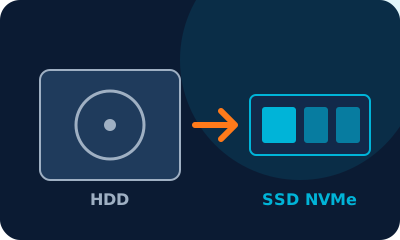
HDD → SSD upgrade ASUS ROG Zephyrus G14 / G15 / Strix G15

HDD → SSD upgrade ASUS ROG Zephyrus G14 / G15 / Strix G15

Common symptoms

  • Slow start-up and apps that take ages to open
  • Full disk or bad sectors
  • Clicking noise or the system freezes
  • You want more space (1 TB or 2 TB)

How we fix it

We install an NVMe M.2 SSD (or a 2.5-inch SATA SSD if your ASUS ROG Zephyrus G14 / G15 / Strix G15 has a drive bay) and clone your system and files with no data loss. We also check for a free slot for a second drive.

Get a quote
Motherboard repair ASUS ROG Zephyrus G14 / G15 / Strix G15

Motherboard repair ASUS ROG Zephyrus G14 / G15 / Strix G15

Common symptoms

  • Won't turn on, no video or black screen
  • Liquid damage or corrosion
  • Shuts down from overheating
  • Short circuit after a power surge

How we fix it

We repair the ASUS ROG Zephyrus G14 / G15 / Strix G15 motherboard at component level: micro-soldering, MOSFETs, power controllers and the dedicated GPU circuits. We use an oscilloscope, a thermal camera and schematics, and only suggest replacing the board if it can't be repaired.

Get a quote

Device details

BrandASUS
LineROG / TUF Gaming
ModelROG Zephyrus G14 / G15 / Strix G15
Year2020
TypeGaming laptop

Is your device a variant of this model? We repair it too: send us a photo of the bottom label on WhatsApp.

Our process

  1. 1

    Drop-off

    We log your device and the fault it shows.

  2. 2

    Diagnosis

    Technical inspection and a clear quote before any repair.

  3. 3

    Repair

    We only proceed with your approval, using quality parts.

  4. 4

    Pickup with warranty

    Final testing and a written warranty.

Device acting up? Get a free quote

Professional diagnosis, a clear price before any repair and a written warranty.